
The Chaos of Family Schedules: Why You Need a Better System
Picture a typical week in a busy household: Mom has a work dinner Thursday that conflicts with Dad’s gym night, your teenager’s band concert lands on the same evening as your youngest’s parent-teacher conference, and somehow nobody vacuumed the living room despite three people promising they would. These aren’t occasional hiccups — they’re daily realities for families relying on fragmented systems. A shared paper calendar on the fridge gets ignored or scribbled over. Group text chains become buried under memes and grocery requests. Individual phone calendars create information silos where one parent knows about the pediatrician visit but the other scheduled a playdate at the same time. The mental load of tracking everyone’s commitments falls disproportionately on one person, breeding resentment and burnout. What families need isn’t another app or another sticky note — it’s a unified, always-visible system that puts every schedule, every responsibility, and every deadline in front of everyone, all the time.
What is a Digital Calendar Display and How Does It Work?
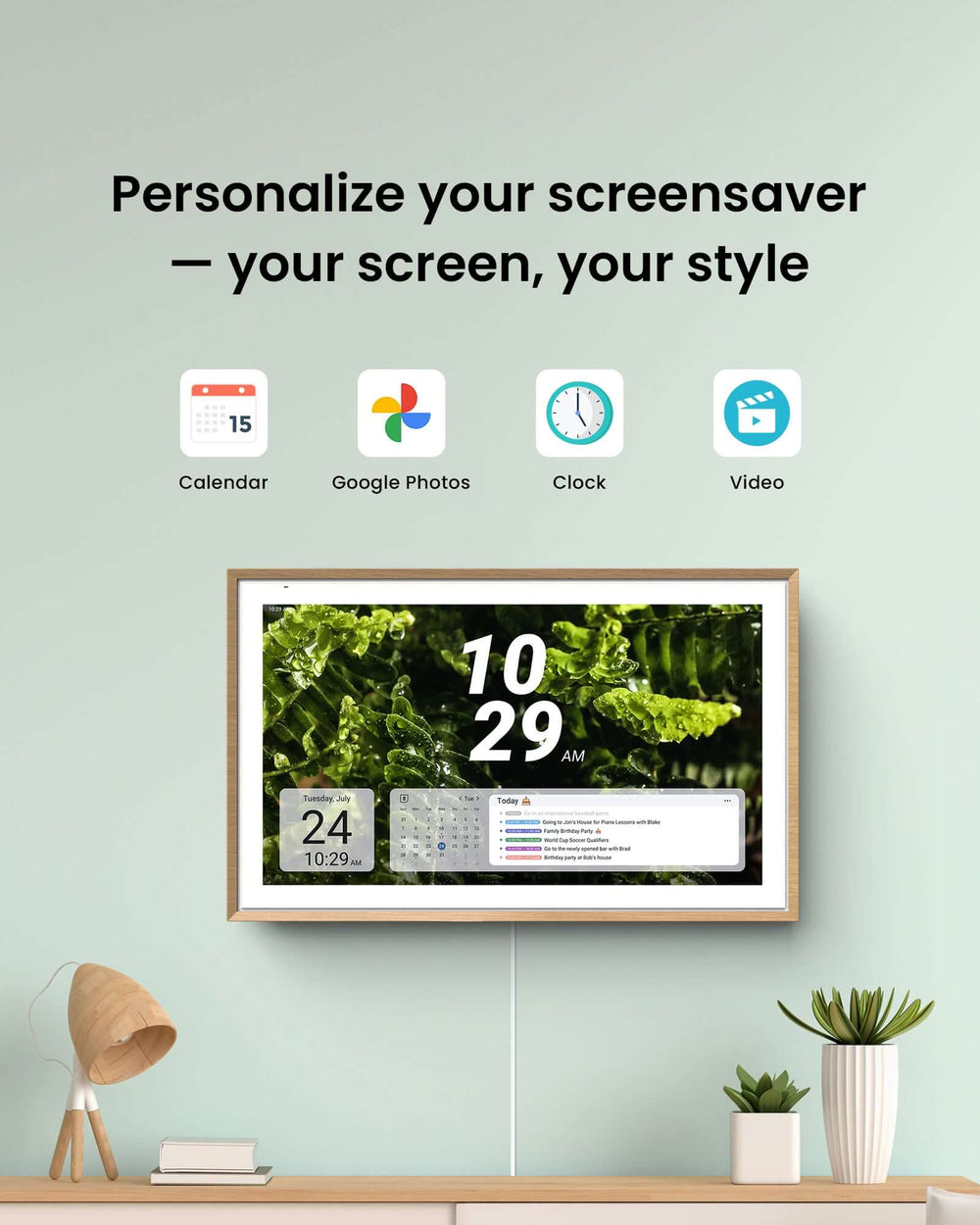
A digital calendar display is essentially a dedicated screen — typically wall-mounted in a high-traffic area like the kitchen or hallway — that shows your family’s collective schedule in real time. Unlike a calendar app buried on someone’s phone, it functions as a persistent, glanceable command center that everyone walks past multiple times a day. On the hardware side, you might use a purpose-built smart display, a repurposed tablet, or even a small monitor connected to a mini computer. The software layer connects to popular calendar platforms like Google Calendar, Apple Calendar, or Microsoft Outlook, pulling in events from every family member’s individual account and displaying them on one unified screen. Because everything syncs automatically across devices, when Dad adds a work trip from his laptop or your teenager logs volleyball practice from her phone, the update appears on the family display within seconds — no manual copying required.
Types of Digital Calendar Displays for Your Home
Dedicated smart displays like the Google Nest Hub or Amazon Echo Show offer plug-and-play simplicity with built-in voice assistants, making them ideal for less tech-savvy households. Repurposed tablets mounted with an inexpensive wall bracket give you more flexibility in choosing apps and screen size, though they require a bit more setup. Purpose-built digital calendar solutions such as ApoloSign are designed specifically for this use case, offering optimized calendar views and family-friendly interfaces out of the box. Integrated smart home hubs combine calendar functionality with lighting controls, security cameras, and thermostats — perfect for families already invested in a connected ecosystem but potentially overwhelming if you just want scheduling basics.
Essential Features to Look For in a Digital Calendar
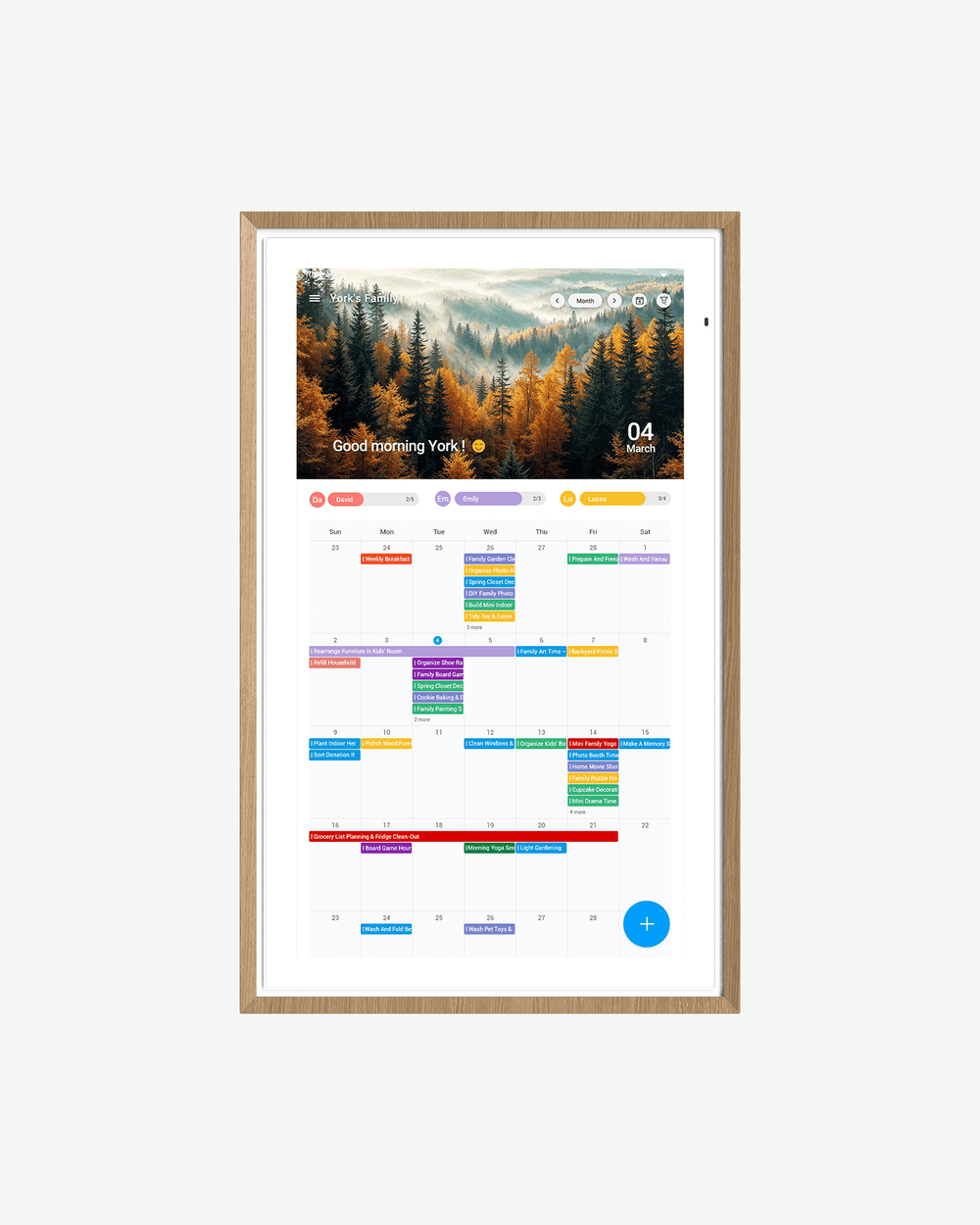
The most effective digital calendar for families supports multi-user access so everyone maintains their own events while contributing to the shared view. Color-coding by person lets you instantly distinguish who has what commitment at a glance. Automated reminder alerts — delivered as push notifications, sounds, or even spoken announcements — ensure nothing slips through the cracks. Finally, prioritize compatibility with apps your family already uses, since a digital calendar only works when it fits seamlessly into existing habits rather than demanding everyone learn something new.
Key Benefits of Using a Digital Calendar as a Family Organizer
The most immediate advantage of a digital calendar display as a family organizer is centralized access — every person in the household sees the same information at the same time, eliminating the “I didn’t know about that” excuse entirely. When schedules live in one visible location, miscommunication drops dramatically. Parents stop double-booking their evenings, kids can’t claim ignorance about chore assignments, and last-minute surprises become rare rather than routine. The visual clarity alone transforms how a family operates. Instead of mentally juggling five separate schedules, you glance at a color-coded screen and immediately understand the shape of your week — who needs a ride where, which evenings are free for family dinner, and when deadlines are approaching. This saves real time, not just minutes spent cross-referencing calendars but the hours lost recovering from scheduling mistakes, rearranging plans, and managing the frustration that comes with them. Beyond logistics, there’s an emotional benefit that’s harder to quantify but equally important: shared visibility distributes the mental load. When everyone can see what’s happening, the responsibility of remembering and coordinating stops falling on one person’s shoulders. Planning becomes a collective effort rather than a solo burden, which reduces household tension and fosters a sense of teamwork. Families who adopt a centralized system often report not just better organization but a calmer, more cooperative home environment where everyone feels informed and accountable.
Step-by-Step Guide to Setting Up Your Family’s Digital Calendar Display
Getting your digital calendar display up and running doesn’t require a computer science degree — just a bit of intentional planning and about an hour of focused setup time. The key is approaching it in stages so the system feels manageable from day one rather than overwhelming.
Step 1: Selecting the Right Device and Platform
Start by assessing your family’s needs honestly. A household with younger kids and limited tech patience benefits from a ready-made smart display that works out of the box. Families with teenagers who live on their phones might prefer a mounted tablet running Google Calendar or a dedicated app like Cozi, since everyone can contribute from their own device. Consider where the display will live — a bright kitchen may need a screen with strong backlighting, while a dim hallway works with almost anything. Choose a platform your family already uses rather than forcing a switch.
Step 2: Configuring Shared Calendars and User Accounts
Create a master family calendar that everyone subscribes to, then let each person maintain their own individual calendar within the same ecosystem. Assign a distinct color to each family member — blue for Dad, green for Mom, purple for your teenager, orange for the youngest. Set permissions thoughtfully: parents might have full editing access to all calendars, while kids can only modify their own. This structure keeps the shared view comprehensive without letting anyone accidentally delete someone else’s important event.
Step 3: Customizing Views, Notifications, and Accessibility
Configure the display’s default view based on how your family thinks about time. A weekly view works well for planning-oriented households, while a daily agenda suits families that take things one day at a time. Set automated reminders at intervals that actually help — a notification thirty minutes before departure for activities, and a morning summary alert that recaps the day ahead. Mount the display at a height everyone can read, including younger children, and keep the screen brightness on an auto-schedule so it’s vivid during waking hours but dimmed at night.
Step 4: Training Your Family and Establishing Routines
Hold a brief family meeting to walk everyone through adding events, checking the display, and understanding the color system. Anchor the habit by tying it to something your family already does — reviewing the calendar together during breakfast or Sunday evening dinner. For the first two weeks, gently redirect questions like “What time is practice?” back to the display instead of answering directly. This builds the reflex of checking the screen first, and within a month, consulting the family calendar becomes as automatic as grabbing your keys before leaving the house.
Transforming Chore Management with Your Digital Display
Once your family calendar is humming along for scheduling, the natural next step is layering chore management directly into the same system. Rather than maintaining a separate chore chart that competes for attention, embedding tasks into your digital display means responsibilities appear alongside soccer games and dentist appointments — giving them equal weight and visibility. The trick is treating chores like calendar events with assigned owners, specific timeframes, and clear completion expectations. When your son sees “Empty dishwasher — Due by 4 PM” sitting in his orange color block right next to “Basketball practice 5:30 PM,” the task becomes part of his day’s flow rather than something a parent has to nag about later. Visual accountability changes behavior remarkably fast; when the whole family can see who completed their tasks and who didn’t, social motivation kicks in without anyone needing to play enforcer. Kids especially respond to the transparency — nobody wants to be the one family member with unchecked boxes while everyone else has finished. You can also build in flexibility by marking certain chores as swappable, allowing siblings to negotiate trades directly on the display as long as everything gets done.
Creating a Dynamic Chore Schedule and Rotation System
Set up recurring calendar events for each chore, assigning them to specific family members on specific days. Use a weekly rotation so no one gets stuck with the same unpleasant task indefinitely — dishwasher duty shifts from one child to the next every Monday. Create these as repeating events with built-in deadlines, so “Clean bathroom — complete before dinner” appears automatically without anyone needing to remember the schedule. For effective chore management, build in a brief Sunday review where the upcoming week’s assignments are visible and any conflicts with activities get resolved in advance. This prevents the Friday night argument about who was supposed to mop when they also had a sleepover.
Using Color-Coding, Rewards, and Apps for Motivation
Assign chore difficulty levels using color intensity — light shades for quick tasks like wiping counters, deeper shades for bigger jobs like yard work — so the distribution feels visibly fair. Link completed tasks to a simple reward system displayed on the calendar itself: five consecutive days of finished chores unlocks screen time or a weekend activity choice. Sync your calendar with gamification apps like OurHome or Homey that award points for task completion, turning mundane responsibilities into friendly competition. When your kids can see their progress stacking up visually on the family display, motivation shifts from external pressure to internal drive.
Enhancing Efficiency with Smart Home Integration
A digital calendar display becomes exponentially more powerful when it’s connected to the broader ecosystem of smart devices already in your home. Instead of treating your calendar as a standalone screen, think of it as the brain of your household’s daily operations. When linked to smart home devices, your calendar doesn’t just show you what’s happening — it actively helps things happen. Imagine your kitchen lights flashing gently at 7:15 AM because the calendar knows the school bus arrives at 7:35, or your smart thermostat adjusting automatically because it sees everyone’s away at activities until 6 PM. This kind of automation removes friction from transitions that normally require someone to remember, announce, or chase down family members. The calendar becomes a trigger for action rather than just a reference tool, and the cumulative time saved across dozens of small daily moments adds up to a meaningfully smoother household rhythm.
Syncing with Smart Speakers and Displays for Voice Commands
Connecting your calendar to devices like Amazon Echo or Google Nest enables hands-free interaction that fits naturally into busy moments. While cooking dinner, you can say “Add Emma’s piano recital Friday at 6” without touching a screen. Kids can ask “What’s on my schedule today?” and hear their personalized agenda read aloud. This smart home integration means the calendar stays updated even when nobody has time to stop and type, keeping information flowing into the system during the messiest, most hectic parts of the day.
Automating Reminders and Notifications Across Devices
Set up calendar-triggered automations so reminders reach family members wherever they are, through whatever device is nearest. A smart light in your teenager’s room can pulse blue ten minutes before chore deadlines. The living room TV can display a banner when it’s time to leave for appointments. Phones receive push notifications for events added after the morning review. By layering alerts across multiple touchpoints, you create a safety net where forgetting becomes genuinely difficult — no single missed notification means a missed responsibility.
Build a Calmer, More Organized Home Starting Today
Managing a busy family doesn’t have to feel like air traffic control without a radar screen. A digital calendar display transforms the way your household operates by pulling every schedule, every chore, and every commitment into one visible, shared space that nobody can ignore or claim they never saw. The benefits compound over time — centralized access eliminates miscommunication, color-coded clarity replaces mental gymnastics, and embedded chore management turns household responsibilities into a transparent system rather than a nagging battle. When you layer in smart home integration, your calendar evolves from a passive reference into an active participant in your family’s daily rhythm, triggering reminders through lights, speakers, and screens so that forgetting becomes nearly impossible. The setup requires just an hour of intentional planning and a couple of weeks of habit-building before it feels second nature to everyone in the house. Start simple — choose a device, create your shared calendar, assign colors, and hold one family meeting to get everyone on board. Within weeks, you’ll wonder how you ever managed without it. The path to a calmer, more cooperative home starts with making information visible to everyone who needs it, and a digital calendar display does exactly that.