Modern architectural education demands fluency in both worlds. Students sketch concepts by hand, build cardboard maquettes, then translate everything into Revit or AutoCAD with exacting precision. This constant shift between physical and digital creates a core tension: how do you maintain accuracy without sacrificing the speed and intuitive feedback each medium offers? This article examines whether a digital ruler can serve as the cornerstone measurement tool for today’s architecture and engineering students—or whether it’s best understood as one piece of a larger, smarter toolkit.
What is a Digital Ruler? Beyond the Basic Metric Ruler
A digital ruler is any software-based measurement tool that replicates—and often extends—the functionality of a physical metric or scale ruler. Unlike the aluminum straightedge sitting in your pencil case, a digital ruler lives on your screen: it measures distances in pixels, points, or real-world units directly on PDFs, images, or within design environments. Core functionalities go well beyond drawing a straight line. Most digital rulers offer instant unit conversion between imperial and metric systems, built-in architectural scale calculations, and the ability to measure angles and curves—not just linear distances.
 These tools come in several forms. Standalone apps like ScreenRuler or Ruler App turn a phone or tablet into a measurement device using the camera or touchscreen. Browser extensions let students measure elements on web-hosted blueprints or reference images without downloading files. Then there are integrated measurement tools embedded within CAD platforms like AutoCAD, Revit, and Rhino, where dimensioning is part of the modeling workflow itself. What unites them is the concept of “smart measurement”: rather than requiring the user to interpret a scale bar and perform mental arithmetic, the tool reads context, applies the correct scale factor, and outputs a precise real-world dimension automatically. For a student juggling multiple scales across a single project, that intelligence saves not just time but costly errors.
The Student’s Dilemma: Traditional vs. Digital Measurement Tools
The Case for the Traditional Metric and Scale Ruler
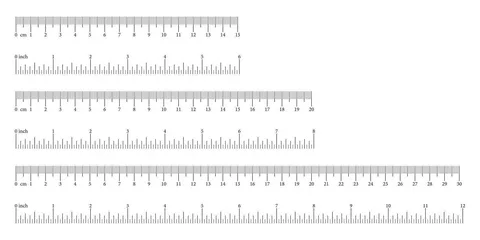
There’s a reason architecture programs still require students to own a physical scale ruler from day one. The tactile connection between hand, tool, and paper builds an intuitive understanding of proportion that no screen can fully replicate. When you drag an aluminum triangular scale across a sheet of trace paper, you’re not just measuring—you’re internalizing how 1:100 feels different from 1:50, training your eye to catch errors before they compound. Physical rulers never crash, never need charging, and never lose calibration because of a software update. They work in rain-soaked site visits and dusty workshop environments where you’d never risk a tablet. There’s also a cognitive dimension worth acknowledging: research on embodied cognition suggests that the physical act of measuring by hand strengthens spatial reasoning, a faculty architecture students rely on throughout their careers. The traditional ruler remains a teaching instrument as much as a measuring one.
The Limitations Students Face with Physical Rulers
Yet anyone who has squinted at the hairline markings on a 1:200 scale at two in the morning knows the frustration. Human error creeps in easily—parallax from a slightly angled viewpoint, a misread graduation, or a slip of the pencil can cascade into dimensional mistakes that only surface during a final review. Manual scale conversions demand mental arithmetic or a calculator, slowing workflow when a project requires jumping between metric and imperial or between multiple drawing scales on the same sheet. Translating a measurement taken from a physical model into a digital file introduces another layer of potential inaccuracy; you measure once with the ruler, jot the number down, then type it into your software, each step a chance for transcription error. Physical rulers also accumulate: architecture students often carry three or four different scales plus a straight edge, adding bulk to an already overloaded bag. And when one goes missing the night before a deadline, there’s no “undo” button.
How a Digital Ruler Solves Key Project Challenges
Step 1: From Sketch to Digital Model – Ensuring Accuracy
The most error-prone moment in any architecture student’s workflow is the handoff between a hand-drawn sketch and a digital model. You’ve spent an hour refining a floor plan on trace paper, and now every dimension needs to land accurately in Revit or AutoCAD. A digital ruler app on a tablet or phone can photograph that sketch, allow you to set a known reference dimension (say, a door width you’ve marked at 900mm), and then measure any other element on the drawing at true scale. The app calculates proportional distances automatically, giving you real-world numbers you can type directly into your modeling software. No more holding a physical scale ruler against a curling sheet of paper, squinting at a graduation mark, scribbling the number on a sticky note, then manually entering it—each step a fresh opportunity for transcription error. The digital ruler collapses that chain into a single, verifiable action: tap two points, read the dimension, move on.
Step 2: Simplifying Complex Scale Conversions
Architecture projects rarely live at a single scale. A site plan at 1:500 sits next to a wall section at 1:20, and a detail drawing at 1:5 might occupy the same presentation board. Physical scale rulers handle one ratio at a time, requiring you to swap edges or grab a different tool entirely. A digital ruler with built-in scale presets lets you select the drawing’s scale from a dropdown, then measure directly on a PDF or scanned image at full screen resolution. The tool instantly displays the real-world measurement—no mental division, no calculator app open in another window. When a tutor asks you to verify a corridor width during a pin-up critique, you tap the drawing on your tablet and have the answer in under two seconds. Over a semester of studio projects, those saved minutes compound into hours reclaimed for actual design thinking.
Step 3: Integrating Measurements Directly into Workflow
The best digital rulers don’t just display a number—they move it where you need it next. Look for tools offering copy-to-clipboard functionality, so a measured dimension pastes straight into a spreadsheet, specification document, or annotation layer without retyping. Many apps support stylus input, letting you draw a measurement line on a tablet as naturally as you’d drag a physical ruler across paper, then export that annotated image to your project folder. Some integrate with cloud storage, meaning dimensions captured on site sync instantly to your laptop back in studio. This seamless data flow eliminates the notebook-to-software gap and keeps your measurement trail auditable—useful when a critic questions where a number came from.
Focus on the HOZO Ruler: A Smart Measurement Tool Examined
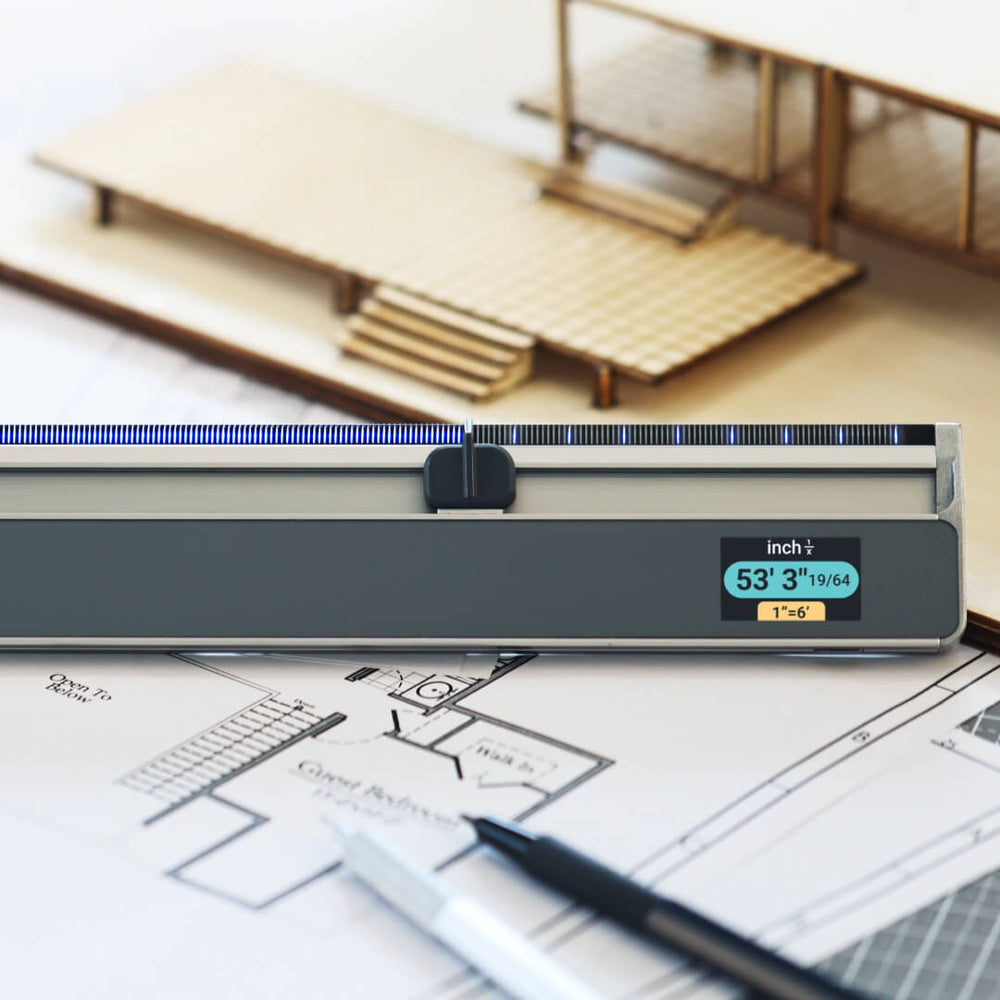
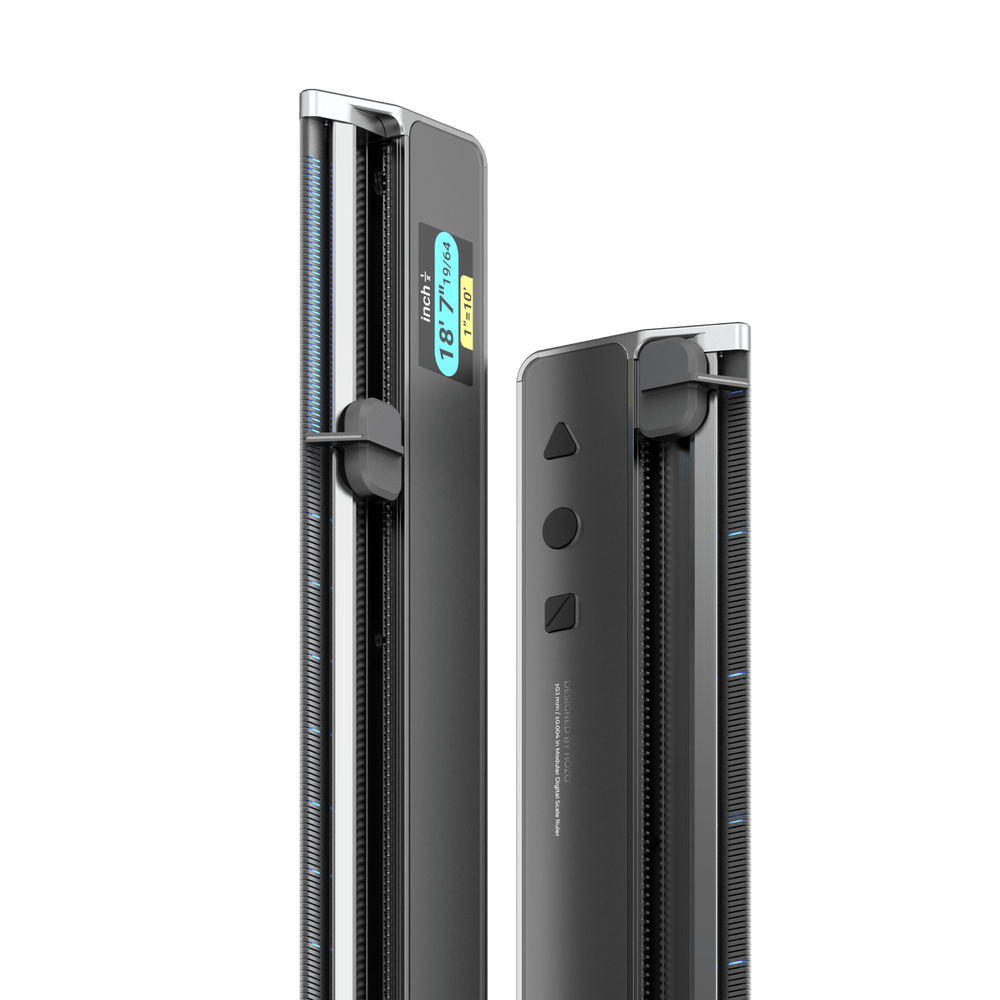
Among the growing landscape of digital measurement tools, the HOZO ruler has gained attention as a hybrid device that bridges the gap between physical drafting instruments and software-based precision. Unlike a pure app, the HOZO ruler functions as a physical tool enhanced with digital intelligence—think of it as a traditional straightedge that speaks the language of your screen. Its multi-scale functionality allows students to toggle between common architectural ratios without swapping tools or recalculating mentally. Angle measurement capabilities handle the non-orthogonal geometries that increasingly define contemporary studio projects, from parametric facades to landscape grading plans.
For architecture students specifically, the HOZO ruler’s blueprint compatibility stands out. It can interpret scaled drawings and output real-world dimensions, functioning much like having a dedicated scale ruler for every ratio simultaneously. Some versions offer cloud-saving features, meaning measurements taken during a site visit or a library research session sync to your project files automatically. Compared to free ruler apps that rely solely on screen pixels, the HOZO ruler provides a more tactile, deliberate measurement experience—you still physically interact with your drawing—while delivering the computational accuracy of software. The trade-off is cost and learning curve: it’s a more specialized investment than downloading a free app, and students need time to integrate it into existing habits. For those whose projects regularly demand rapid scale-switching and precise angle work, however, it earns its place in the toolkit. For students whose needs are simpler—occasional PDF measurement or basic linear dimensions—a well-chosen free app may suffice.
Choosing Your Tool: A Practical Guide for Students
Selecting the right digital ruler comes down to four practical factors. First, budget: free apps like Adobe Acrobat’s built-in measure tool or Ruler App handle basic on-screen PDF measurement well, while dedicated tools like the HOZO ruler justify their cost only if your projects regularly involve multi-scale work or angle-heavy geometry. Second, consider your primary use case—if you mostly measure scaled PDFs on a laptop, a browser extension or built-in CAD dimensioning tool is sufficient; if you photograph hand sketches or physical models for conversion, a camera-based app with reference-dimension calibration serves you better. Third, think about your device ecosystem. iOS users benefit from Apple Pencil-compatible rulers that feel natural on iPad, while Windows tablet users should look for apps with pen-pressure support and snap-to-grid features. Android options tend to be free but less polished for architectural scales. Finally, never abandon the physical metric ruler entirely. Software fails, batteries die, and some studio critiques happen around a pinned-up sheet where pulling out a triangular scale is simply faster. The smartest toolkit pairs a reliable free measurement app for daily digital work, one specialized tool for complex scaling tasks, and a physical straightedge that lives permanently in your bag.
Building a Hybrid Toolkit for the Modern Architecture Student
So is a digital ruler the best tool for architecture students? The honest answer is that it’s the best tool for specific tasks within a larger, deliberately assembled toolkit. A digital ruler excels where physical instruments stumble: rapid scale conversion, error-free transfer of dimensions into software, angle measurement on complex geometries, and maintaining an auditable trail of numbers from site to studio to final submission. These advantages translate directly into fewer late-night recalculations, cleaner digital models, and more time spent on the design thinking that actually earns high marks.
But it doesn’t replace the triangular scale you press against trace paper during a fast concept sketch, or the straightedge that guides your section cut through a cardboard model. Those physical tools teach proportion through the body—a form of knowledge that no app can install. The smartest architecture students won’t ask which single tool is “best.” They’ll build a hybrid kit: a reliable digital ruler for precision and workflow integration, a physical metric ruler for immediacy and tactile learning, and the judgment to know which moment calls for which instrument. As architectural practice continues merging computational design with handcraft, that fluency across tools isn’t just convenient—it’s the discipline’s future.